 Loopwise Labs
Jira Cloud app · Runs on Atlassian
Sprint Burndown & Burnup for Jira
The sprint chart your team actually looks at, right on the Jira dashboard.
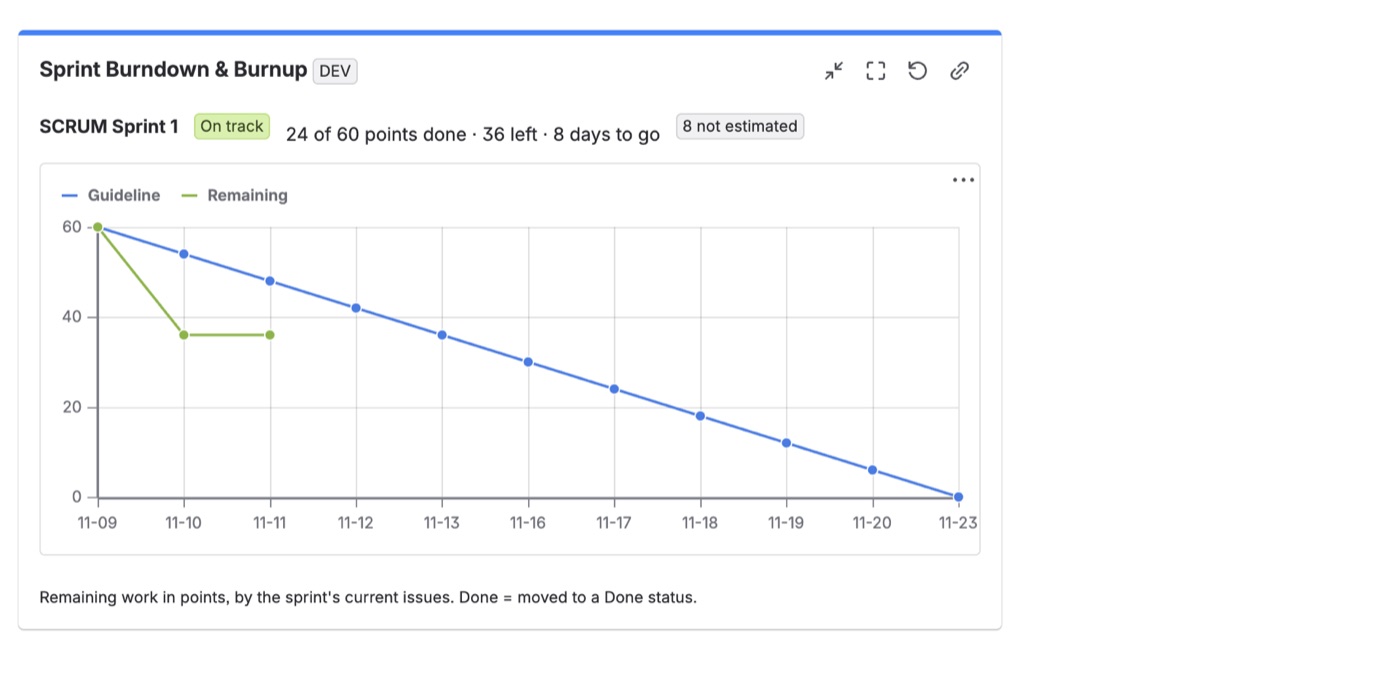
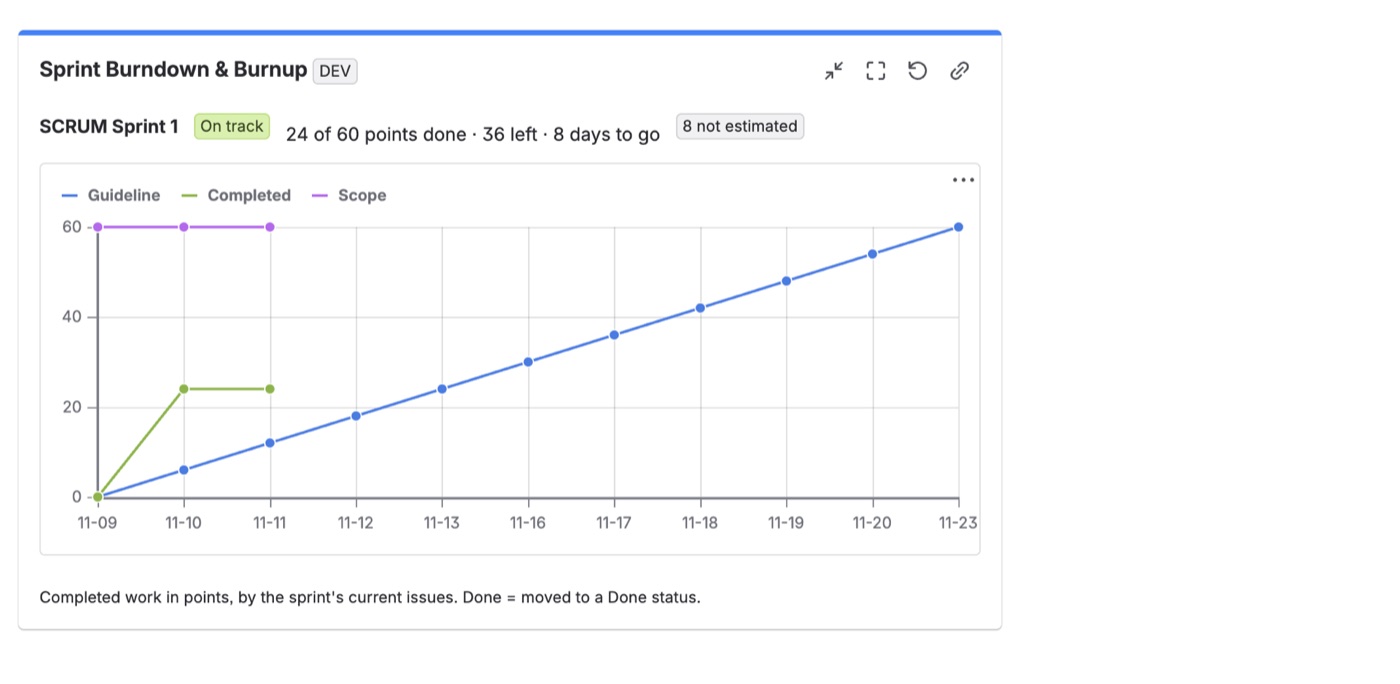
- Burndown or burnup for the active sprint (follows the board) or any chosen sprint.
- Your measure: story points, issue count or original estimate in hours.
- On track or behind: compares completed work with the guideline and shows days left.
- Weekends skipped by default, so the guideline is realistic.
- Stores nothing: the gadget reads Jira and shows totals only.
Getting started
- Install the app from the Atlassian Marketplace.
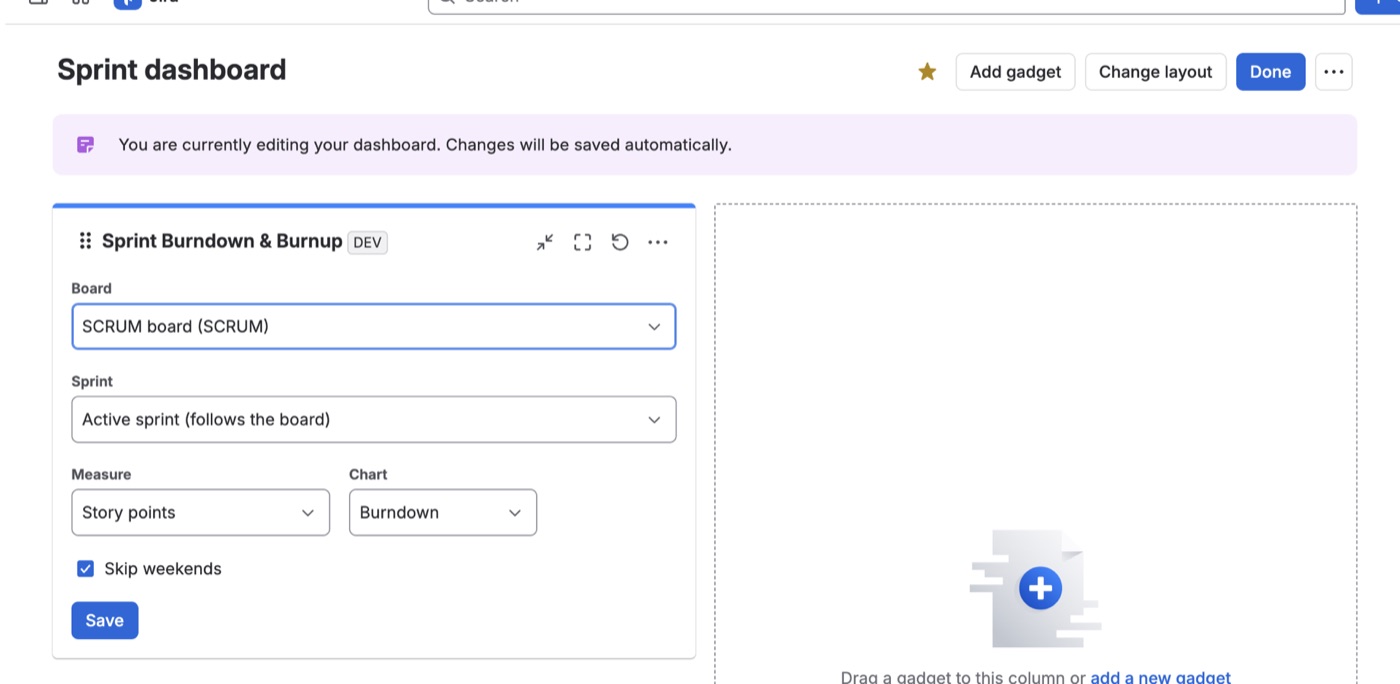
- On a Jira dashboard click Edit → Add gadget → Sprint Burndown & Burnup.
- Choose the board, measure and chart type, and save.
FAQ
Issues added mid-sprint? The chart uses the sprint's current issues for the whole sprint.
Questions? Contact support.