 Loopwise Labs

Jira Cloud app · Runs on Atlassian
Issue Templates for Jira
Onboarding, releases, offboarding, audits: create the issue and every sub-task in one click, the same way every time.
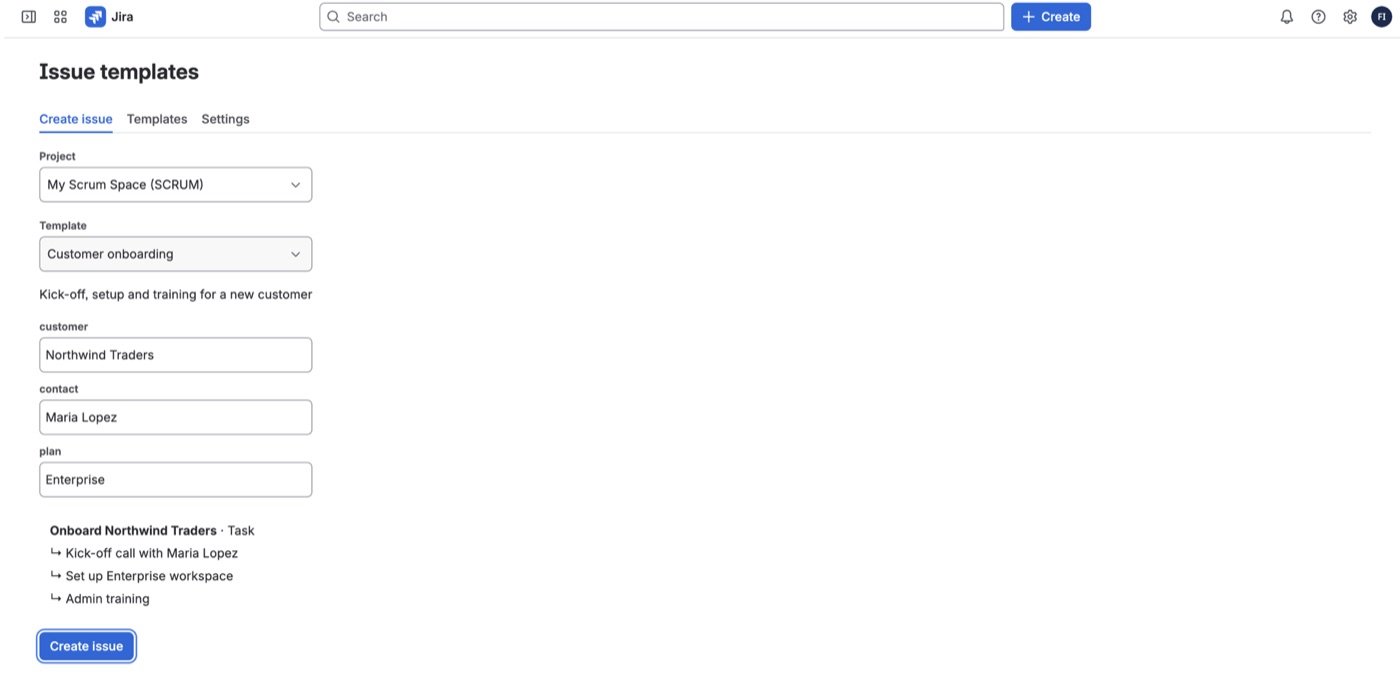
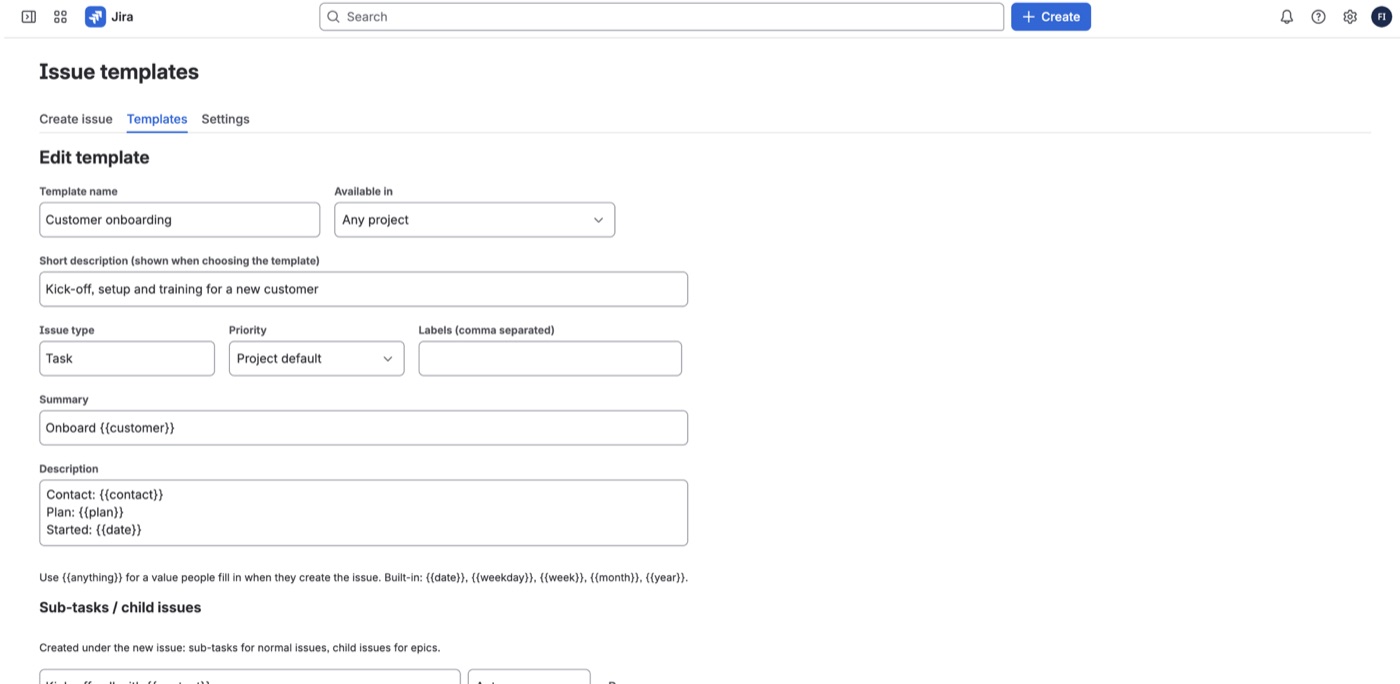
- Templates with sub-tasks: summary, description, issue type, priority, labels and a list of sub-tasks.
- Variables: write
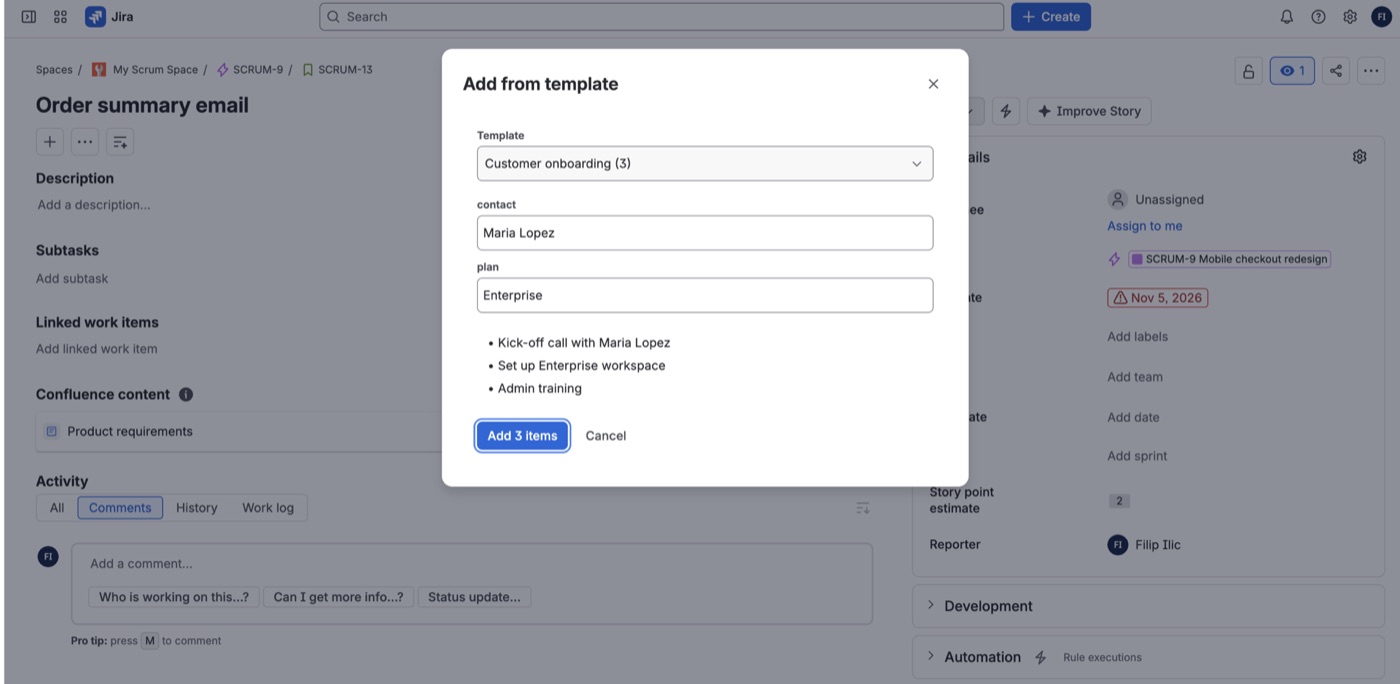
{{customer}}or{{contact}}and people fill them in when they create the issue.{{date}},{{week}},{{month}}and{{year}}fill themselves in. - Add to an existing issue: "Add from template" in an issue's menu adds the template's sub-tasks, or child issues when it's an epic.
- Per project or everywhere: make a template available in one project or in all of them.
- Your permissions: issues are created as the person using the template, with their Jira permissions, and they are the reporter.
- Admin control: optionally let only Jira admins create and edit templates.
- No personal data stored: templates contain only the text you write.
Getting started
- Install the app from the Atlassian Marketplace.
- Open Apps → Issue templates, go to Templates and click New template.
- Use it under Create issue, or from ••• → Add from template on any issue.
FAQ
A field from my template was not set. If priority or labels are not on the project's create screen, the issue is created without them instead of failing.
What happens if my subscription ends? Templates are kept, but new issues can't be created from them until the license is active again.
Questions? Contact support.