 Loopwise Labs

Jira Cloud app · Runs on Atlassian
Epic Progress for Jira
How far along is this epic, really? Issues, story points and time in one place, without building a dashboard.
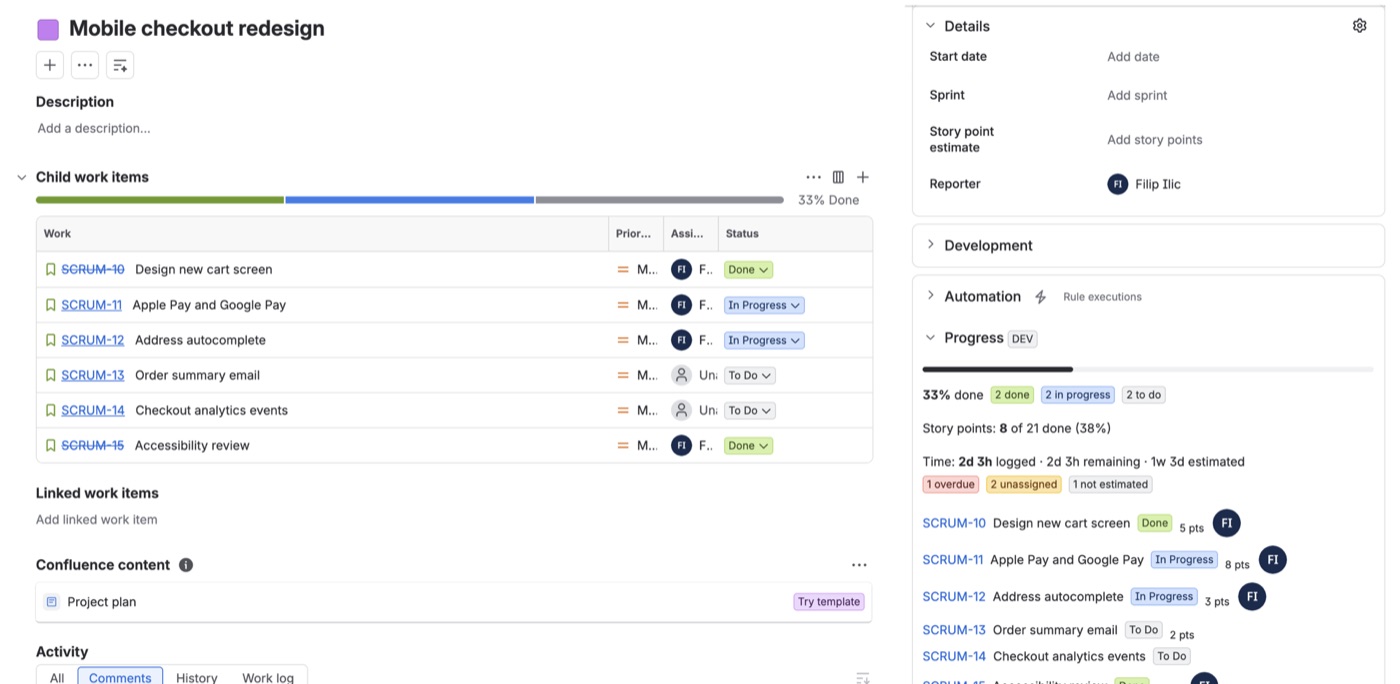
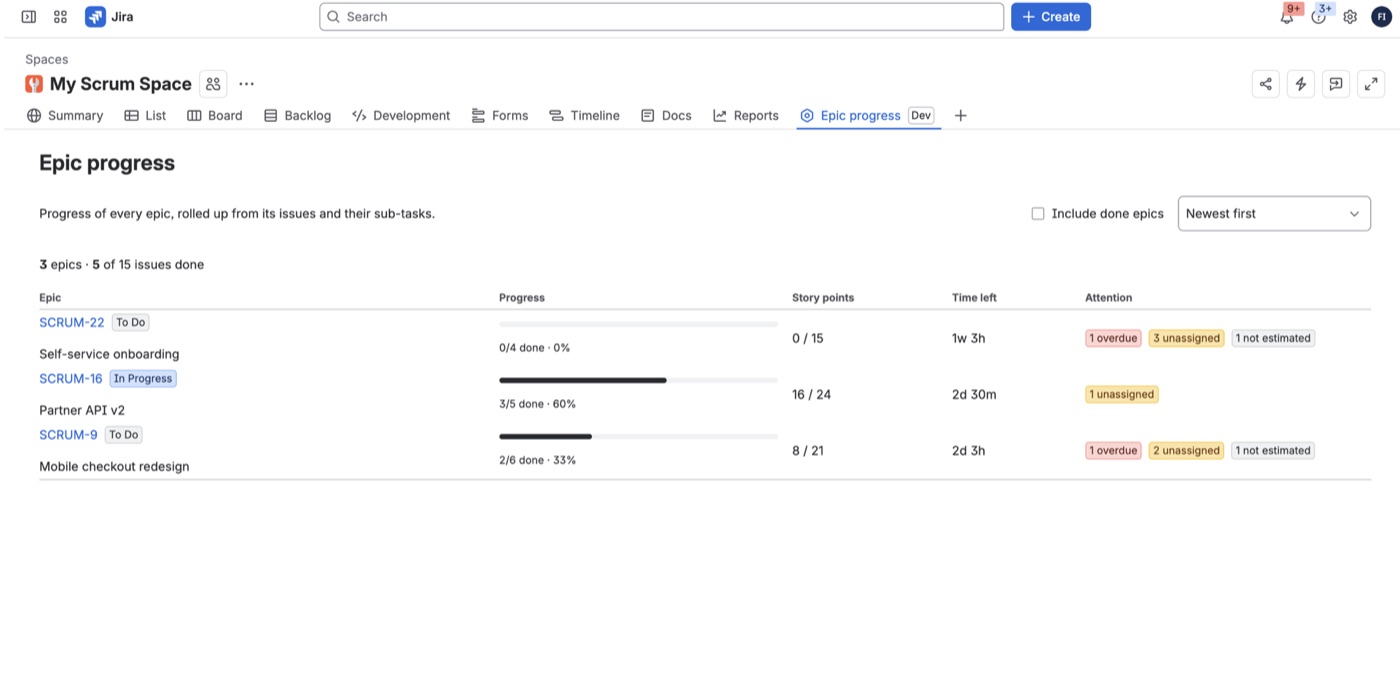
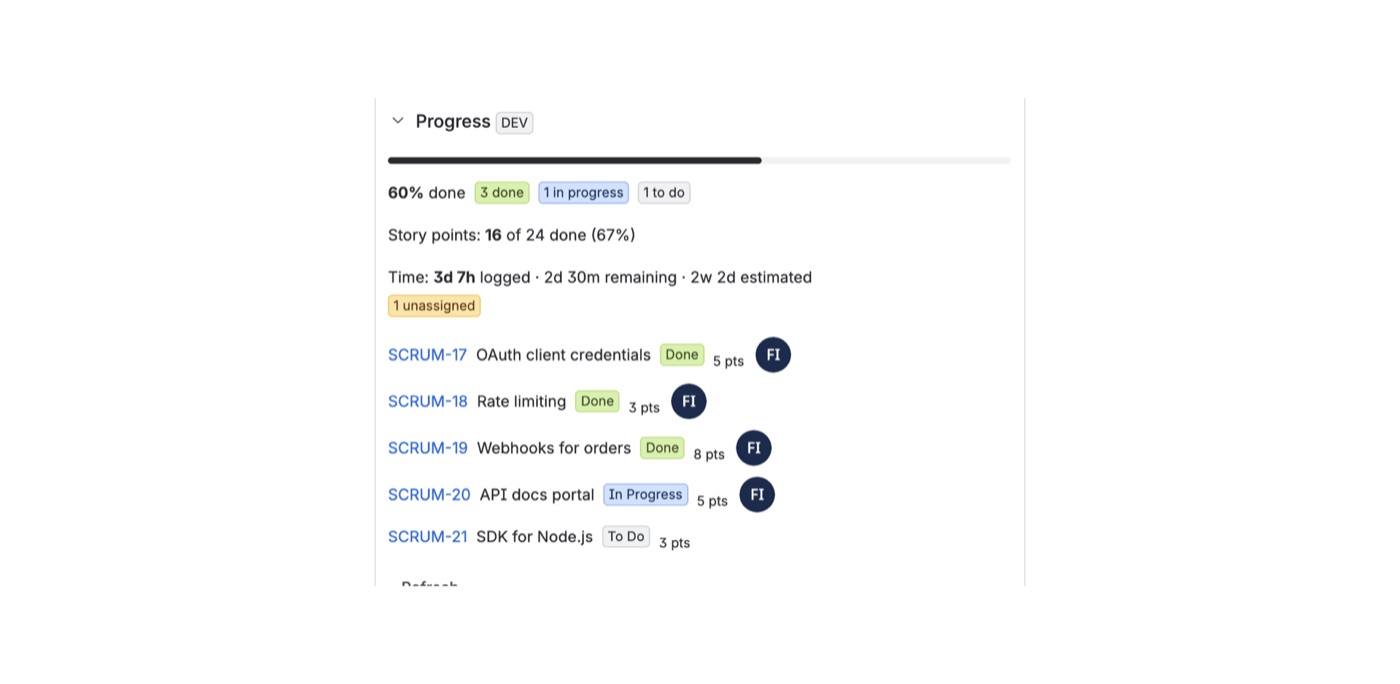
- On every epic: a Progress panel with done, in progress and to do, story points done, and time logged, remaining and estimated.
- Sub-tasks included: time tracking uses Jira's aggregate fields, so work logged on sub-tasks counts.
- What needs attention: overdue, unassigned and unestimated issues are flagged.
- All epics of a project on one page: progress bars, points, time left and warnings, sorted by least progress or most work left.
- Works for stories too: any issue with sub-tasks gets the same roll-up.
- Stores nothing: the app only reads Jira, as the person viewing it, so everyone sees only what they already may see.
Getting started
- Install the app from the Atlassian Marketplace.
- Open an epic and expand Progress on the right.
- For a project overview, open the Epic progress tab in the project.
FAQ
Which story points field is used? The app finds "Story Points" and "Story point estimate" automatically, in company-managed and team-managed projects.
How is time shown? In Jira's format with 8-hour days and 5-day weeks.
What happens if my subscription ends? The panel and page show a notice until the license is active again. Nothing is stored, so there is nothing to clean up.
Questions? Contact support.